


PPGMEC Enrollment
Updated at 03/31/26 13:49
Guidelines for Registration in SIGAA and Online Enrollment
The Coordination of PPGMEC informs the procedures for registration in SIGAA and enrollment in the courses offered by the Program, for REGULAR STUDENTS and for students from OTHER GRADUATE PROGRAMS at UFG.
IMPORTANT!
- Enrollment will be carried out ONLY through online requests, via SIGAA (Integrated Academic Activities Management System).
-
Access to the PPGMEC building and laboratories is restricted to individuals with an ID badge. To request your UFG ID badge, please refer to the tutorial available at: https://cercomp.ufg.br/p/35303-tutorial-solicitacao-de-cracha
NEW PPGMEC students:
- Access the ufgnet portal (https://apps.ufg.br) and create your UNIQUE LOGIN. (https://cercomp.ufg.br/p/39103-tutorial-criar-login-unico)
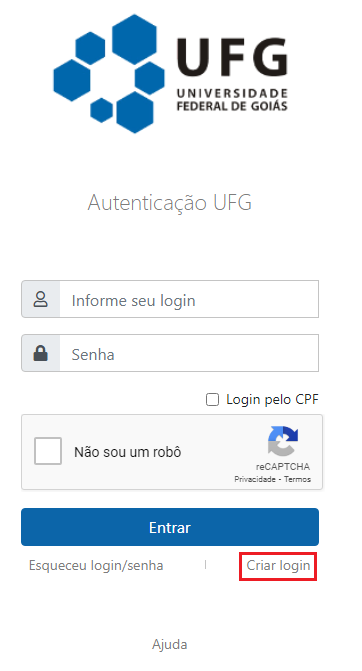
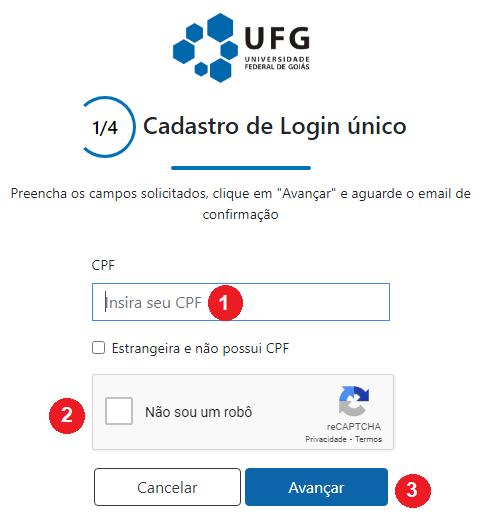
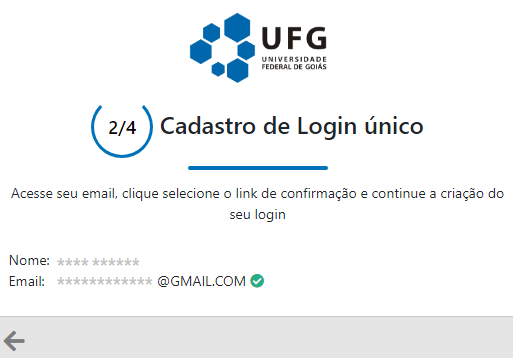
Then, another screen will open where the user must enter their CPF, check “I am not a robot,” and click “Next.”
- The registered email is the one used during the application process.
- Check your personal email to see if you have received the message titled “Login Creation Request.” Note: If you do not find it in your inbox, please check your spam folder.
New and continuing PPGMEC students:
- Log in to the UFGNet portal;
- Access the SIGAA module: menu “ACADEMIC” > “INTEGRATED ACADEMIC ACTIVITIES MANAGEMENT SYSTEM - SIGAA”
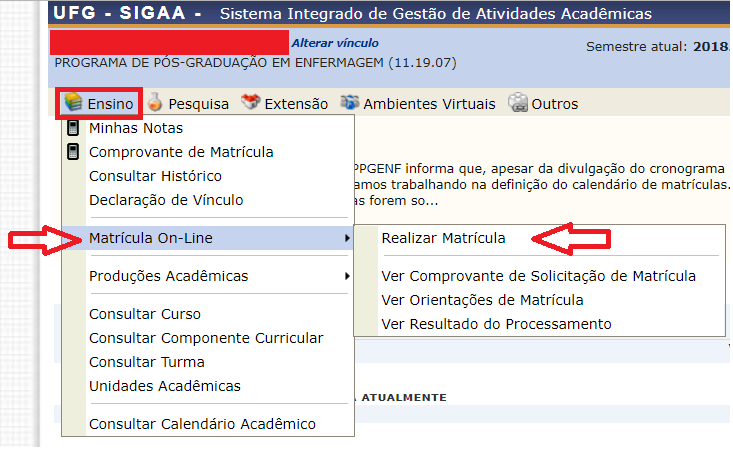
- Open the menu “TEACHING” > “ONLINE ENROLLMENT” > “ENROLL”
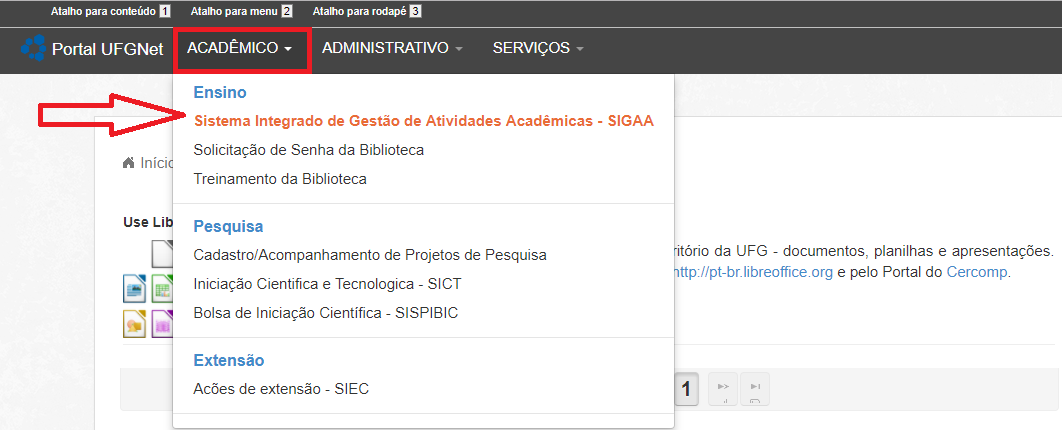
- Regular students who wish to enroll in courses from OTHER GRADUATE PROGRAMS at UFG:
- Follow the same procedure described above, but in the Program field, change it to the desired program. Alternatively, you may uncheck this field, which will display all courses offered in the semester across all programs.